
The scene is familiar: you're on the subway, in a cafe, or in a queue, and you feel eyes falling on your screen. Messages, e-banking, passwords, photos. It's not always "bad" - it's just annoying. That's exactly where the iPhone 15 privacy screen protector comes in: it keeps your content visible almost only when you're looking at the screen straight on.
What an iPhone 15 privacy screen protector actually is
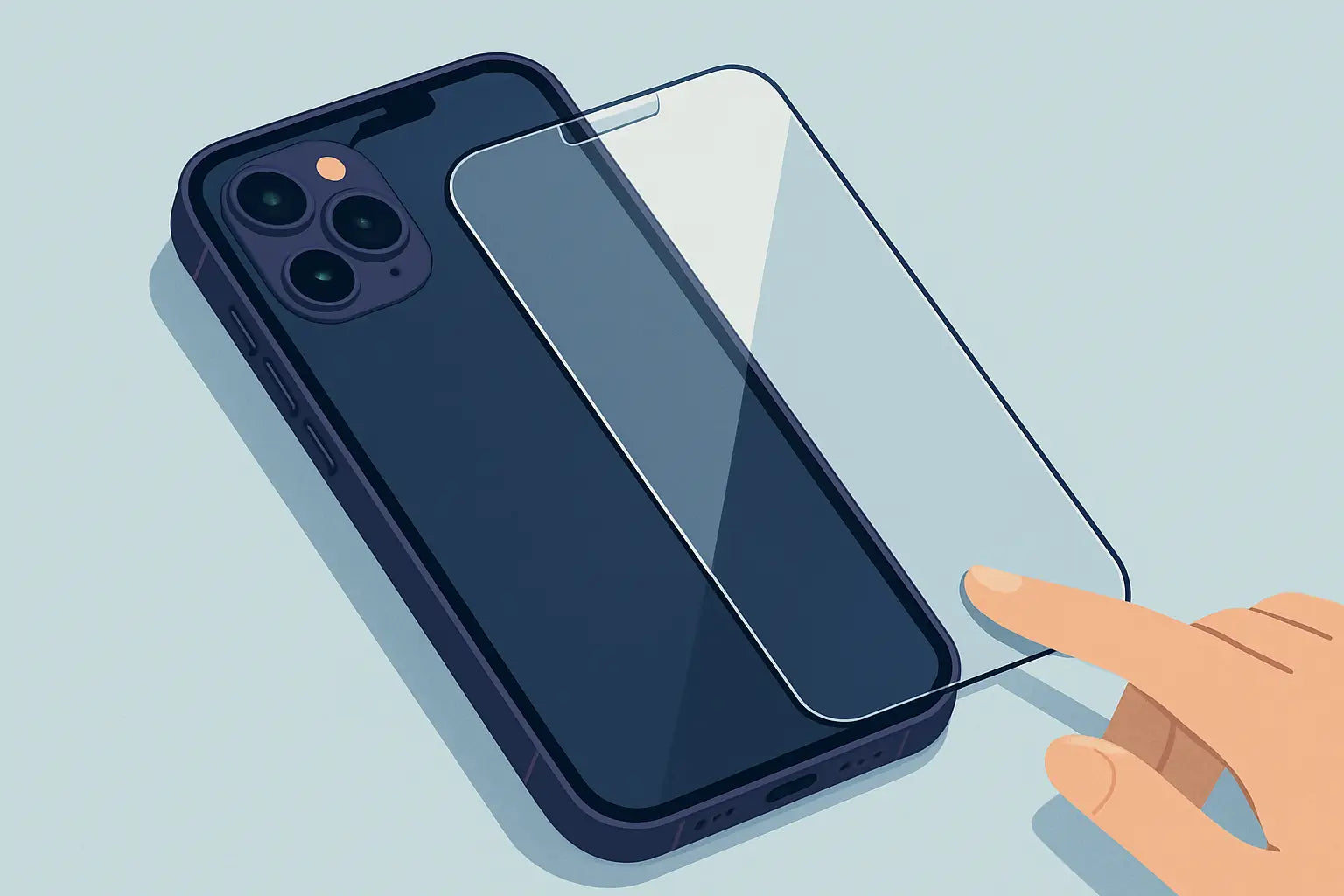
A privacy tempered glass looks externally like a classic glass screen protector, but it has a built-in micro-louver filter. In front of you, the image remains clear, but from a side angle, it darkens and "blacks out." This means less shoulder surfing in public places and more comfort when replying to messages or opening apps you don't want everyone to see.Privacy does not replace iPhone security (Face ID, passcodes, 2FA). It's the "low profile" in everyday life. And at the same time, it remains a screen protector: it absorbs minor bumps, reduces scratches, and often saves the screen from the classic "dropped face down."
When it's truly worth it and when it's not
If you use your iPhone 15 frequently while commuting, in an open-plan office, or generally in crowded places, privacy makes sense from day one. Especially if you frequently make payments, manage work emails, or simply don't like to "share" your screen.However, if you watch a lot of videos with others or often show photos to friends, privacy can become tiresome. You'll find yourself turning your phone so those next to you can see. In that case, a good clear tempered glass is more comfortable.
There's also the "it depends" scenario: if you want privacy when you're out, but at home in the evening you watch content casually, you might find a privacy screen with a slightly "milder" angle (so it doesn't darken too early) more convenient, or simply adjust brightness/True Tone so it doesn't strain your eyes.
Trade-offs you should know before installing it
The privacy filter is not magic. You pay for the gain in privacy with 2-3 small compromises.First, brightness. The screen almost always appears a little darker compared to a simple glass protector. In practice, you simply increase the brightness by 1-2 "clicks" when you're outdoors. If you're someone who keeps brightness low to save battery, consider this.
Second, viewing angles. You see well from the front, but when you "stray" to the side, the content darkens. Some people like it because it keeps them focused. To others, it seems restrictive.
Third, touch sensitivity and reflection. Most privacy glass protectors are tempered glass, so scrolling and tapping remain natural. Nevertheless, if the privacy layer is more intense, you might see slightly different reflections in strong light.
The positive? Compared to old-school films, modern privacy tempered glass feels much more "premium" and durable.
iPhone 15: what to look for in compatibility
The "iPhone 15" is not just one thing. There are iPhone 15, 15 Plus, 15 Pro, 15 Pro Max, with different dimensions and details on the front. The correct protector must be for your exact model. Otherwise, you risk incorrect application, gaps at the edges, or coverage that doesn't "sit" correctly.Additionally, check if you prefer full cover (to cover as much as possible) or case-friendly (to leave a small margin so it doesn't lift from the case). If you frequently change cases or wear "tighter" rugged ones, case-friendly is often a safer choice to prevent it from peeling off at the corners.
Privacy and Face ID: is there an issue?
In most cases, no. Good privacy tempered glass is designed not to significantly affect Face ID functionality. What can cause a problem is usually not privacy as a technology, but poor installation: dust, micro-bubbles, or misalignment near the sensor area.If you experience "hiccups" in unlocking after application, first do the basics: clean the front camera, check if the glass has lifted even slightly, and try restarting. Rarely will a product change be necessary - more often the application is at fault.
How to choose the right privacy tempered glass
If you're looking for a quick and hassle-free solution, think of it as three boxes: how much privacy you want, what case you wear, and how much brightness matters to you.If your priority is "nothing should be visible from the side," choose a stronger privacy filter. If your priority is "brightness shouldn't drop too much," opt for a privacy screen that advertises clarity and comfortable visibility from the front.
For cases, if you have a case with a raised lip or a tighter fit, choose a case-friendly cut. If you wear a thin case or no case at all, a more full cover might give you greater coverage.
And something practical: if you're buying online, choose a store that helps you find "exactly" the right model, without guessing. At Phonebazaar.gr, the Quick Finder takes you directly to the compatible accessory for your device, which reduces the risk of making the wrong choice.
Correct home application, without stress
70% of the experience of a protector is the installation. And it doesn't require talent - it requires 5 minutes of calm.First, choose an area with as little dust as possible. A trick that works: after a short hot shower, the bathroom has fewer particles in the air. Clean the screen with the wet wipe, dry it with the dry one, and then use the sticker to "lift" tiny dust particles that aren't visible.
Then, perform an alignment test before sticking it. Bring the glass over the screen, see that it "sits" correctly with the sides and the top, and only then remove the protective film from the adhesive.
When it touches, let the center stick first and gently press outwards. If a small bubble remains, it usually disappears with a little patience. If it's dust, it will persist - and it's better to lift the edge slightly and remove it with a sticker, rather than "pushing" it.
Does it fit with a case? Yes, but it needs proper pairing
The most common complaint is "the case lifted it." This is not a curse - it's a mismatch. If the case closes very close to the glass, a full cover glass protector can be pressed at the edges. That's why, if you're the type who changes cases or wears chunkier protection, case-friendly privacy glass is usually the safest choice.Conversely, if you have a thin case and want maximum coverage, you can go for a more full cover, as long as the case lip doesn't touch the glass protector.
Small habits that make it last longer
A privacy tempered glass is durable, but not invulnerable. If your iPhone goes into the same pocket as keys, it will eventually get "marked." If you often leave it face down on a table, it will collect micro-scratches faster.The good thing is that the protector is there to "take" this wear and tear instead of your screen. If after months you see that it has become blurry, filled with marks, or cracked in a corner, treat it as a consumable that did its job.
What to expect on the first day
For the first hour, you might find the screen a little darker and increase the brightness. After a day, you usually forget about it. Privacy "works" more when you're out and there are eyes around - that's when you'll truly appreciate it.However, if your daily life is home-office with few people, it might seem excessive. In this case, consider if you want privacy only for travel/commuting or if you prefer a very good clear tempered glass and simply be more careful in public places.
Whatever you choose, the best scenario is to feel comfortable using your iPhone 15 however you want, wherever you want, without second thoughts - and that, ultimately, is the most practical form of "privacy."